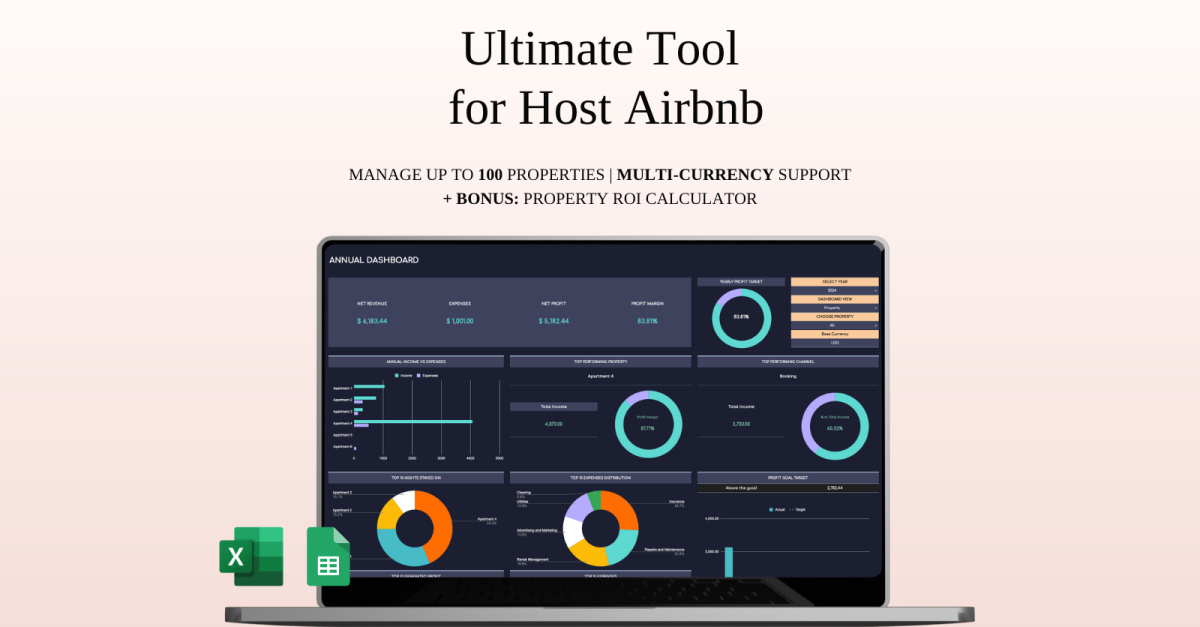
Ultimate Tool for Host Airbnb | Income & Expense Tracker Template for Google Sheets and Excel

Airbnb Template, Airbnb Host, Airbnb Bundle, Airbnb Spreadsheet, Vacation Rental Property Management, Airbnb Tracker, Airbnb Management, Rental Spreadsheet, Rental Ledger, Rental Property Income, Airbnb Expense, Airbnb Google Sheets, Airbnb Must Haves, Airbnb Bookkeeping, Vrbo Template

Manage your short-term rental business with ease — whether it’s one apartment or an entire portfolio.

This professional spreadsheet is built for Airbnb hosts and vacation rental owners who list properties on platforms like Booking.com, VRBO, HomeAway, Zillow, and TripAdvisor. It’s a flexible solution that simplifies financial tracking, performance analysis, and long-term planning — all without the need for complex tools.

Forget about juggling messy files or spreadsheets that don’t scale. Just paste your transactions, and everything — revenue, expenses, fees, ROI — is sorted automatically. The template adjusts effortlessly whether you’re managing a single unit or dozens of listings.

You’ll gain clear insight into your business through a set of clean dashboards:

Monthly reports to review profits and spendingAnnual overviews to identify your best-performing properties5-year projections to plan ahead and stay on track with your goals

Everything is designed to help you save time and reduce manual work while staying in full control of your numbers.

What’s Included:

5-Year Financial Overview

 Track trends and growth over the long term

Advanced Analytics Dashboards

 Compare performance by property, month, and year

Budget & Profit Goals Manager

 Set and monitor financial targets easily

ROI Calculator & Tax Report

 Instantly assess profitability and estimate taxes

Multi-Currency Support

 Useful for international hosts and expense tracking

Smart Setup Process

 No technical skills needed — get started in minutes

Fully Customizable Layout

 Tailor it to your rental style and structure

Whether you’re just starting your rental journey or managing a growing business, this spreadsheet gives you full visibility and control — without the overwhelm.

WHAT’S INCLUDED?

Step-by-step instructions 4 Templates of SpreadsheetsSample Google Sheet with Mock DataBlank Google SheetSample Excel with Mock DataBlank ExcelEditable in Google Sheets and Microsoft ExcelCompatible with MAC, PC, Phones, or Tablets

HOW IT WORKS & REQUIREMENTS

YOU WILL NEED:

A device to access Google Sheets or Microsoft ExcelA Google Account (if using Google Sheets)Microsoft Excel software (if using Excel)Basic computer skills

HOW IT WORKS:

Purchase and download instantly.Open the PDF file to access the Google Sheet link.Download the Excel template.Open the spreadsheet and start planning!

IMPORTANT TO KNOW:

This is a digital download; no physical items will be shipped.Due to the nature of digital products, all sales are final, and refunds are not available.

COLOR DISCLAIMER:

Please note that colors in the spreadsheet may vary slightly due to screen display differences on your device. This can include variations in color on phones, tablets, and computers.

Note: For the best experience, we recommend using a desktop or laptop for full editing capabilities.
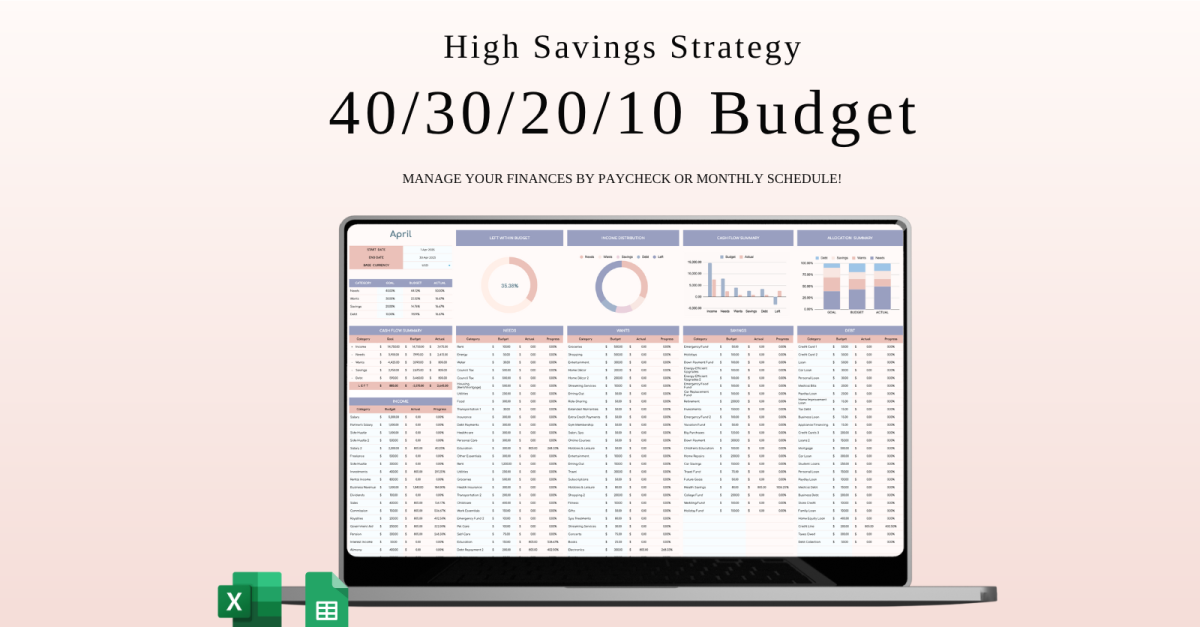
40/30/20/10 Budget Spreadsheet Template | Excel and Google Sheets

40/30/20/10 – High Savings Strategy (A more aggressive plan for financial freedom)

The 40/30/20/10 High Savings Strategy is a bold and highly effective budgeting approach created for those who are serious about reaching financial independence sooner. This method prioritizes aggressive saving and smart debt reduction — all while letting you enjoy life along the way.

How It Works:

40% – Needs

Dedicate 40% of your income to cover necessities like rent/mortgage, groceries, utilities, and healthcare. The key is to keep these costs efficient so more money can be directed toward your financial goals.

30% – Wants

Use 30% for discretionary spending — travel, dining out, hobbies, and treats. This portion keeps your lifestyle enjoyable without throwing your finances off track.

20% – Savings 

This chunk is the engine behind your long-term wealth. Set aside 20% for building your savings, contributing to retirement funds, or investing for future growth.

10% – Debt 

Commit 10% of your income to aggressively pay off any existing debts — credit cards, loans, or other obligations — to improve your financial stability faster.

Why It Works:

Fast-Track to Wealth: A high savings rate helps you build a solid financial foundation quickly.Balanced Living: You get to enjoy your money today while planning wisely for tomorrow.Focused Debt Payoff: Tackling your debt head-on speeds up your path to financial freedom.Clear and Structured: The plan offers an easy-to-follow format that brings clarity and confidence to your budgeting.

Benefits:

Supercharges Savings so you’re always ahead financiallySimple to Manage, even for budgeting beginnersAdapts Easily as your life and income evolveAvailable in Google Sheets & Excel so you can stay organized and motivated

Take control of your money with the 40/30/20/10 High Savings Strategy and start creating the secure and abundant future you’ve been dreaming of.

WHAT’S INCLUDED?

Step-by-step instructions 4 Templates of SpreadsheetsSample Google Sheet with Mock DataBlank Google SheetSample Excel with Mock DataBlank ExcelEditable in Google Sheets and Microsoft ExcelCompatible with MAC, PC, Phones, or Tablets

HOW IT WORKS & REQUIREMENTS

YOU WILL NEED:

A device to access Google Sheets or Microsoft ExcelA Google Account (if using Google Sheets)Microsoft Excel software (if using Excel)Basic computer skills

HOW IT WORKS:

Purchase and download instantly.Open the PDF file to access the Google Sheet link.Download the Excel template.Open the spreadsheet and start planning!

IMPORTANT TO KNOW:

This is a digital download; no physical items will be shipped.Due to the nature of digital products, all sales are final, and refunds are not available.

COLOR DISCLAIMER:

Please note that colors in the spreadsheet may vary slightly due to screen display differences on your device. This can include variations in color on phones, tablets, and computers.

Note: For the best experience, we recommend using a desktop or laptop for full editing capabilities.